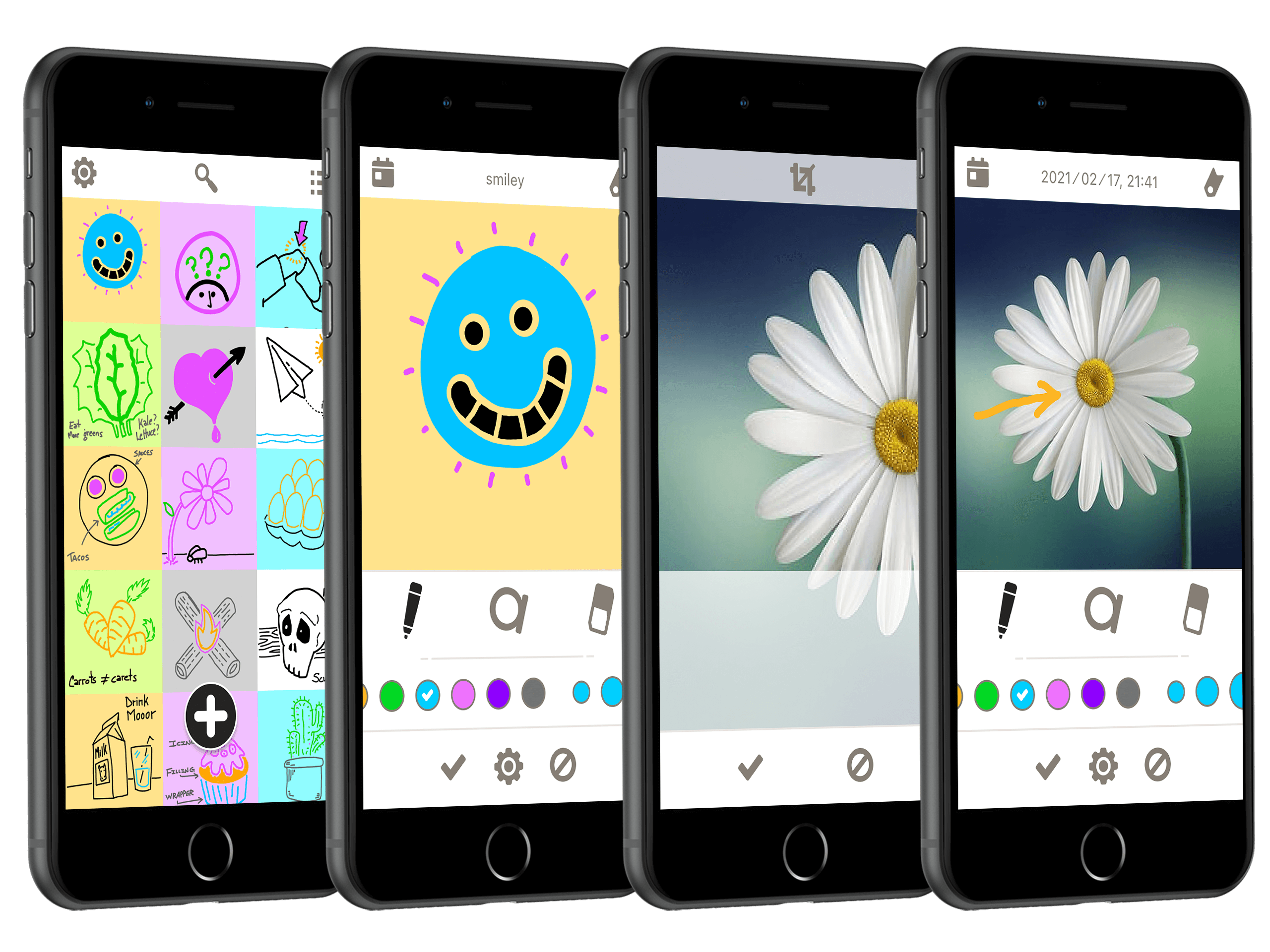
CASE STUDY

Sketch Note App

Type
Personal
Platform
iOS
Status
Published

1 — Project Goal

The goal was to design a note-taking app which appeals to casual note takers.

2 — Target Audience

The target audience for the sketch note app is someone who likes to use their finger to draw quick sketch notes. They're not interested in a structured note. The act of scribbling a note is a natural, more organic experience than a text-editing experience.
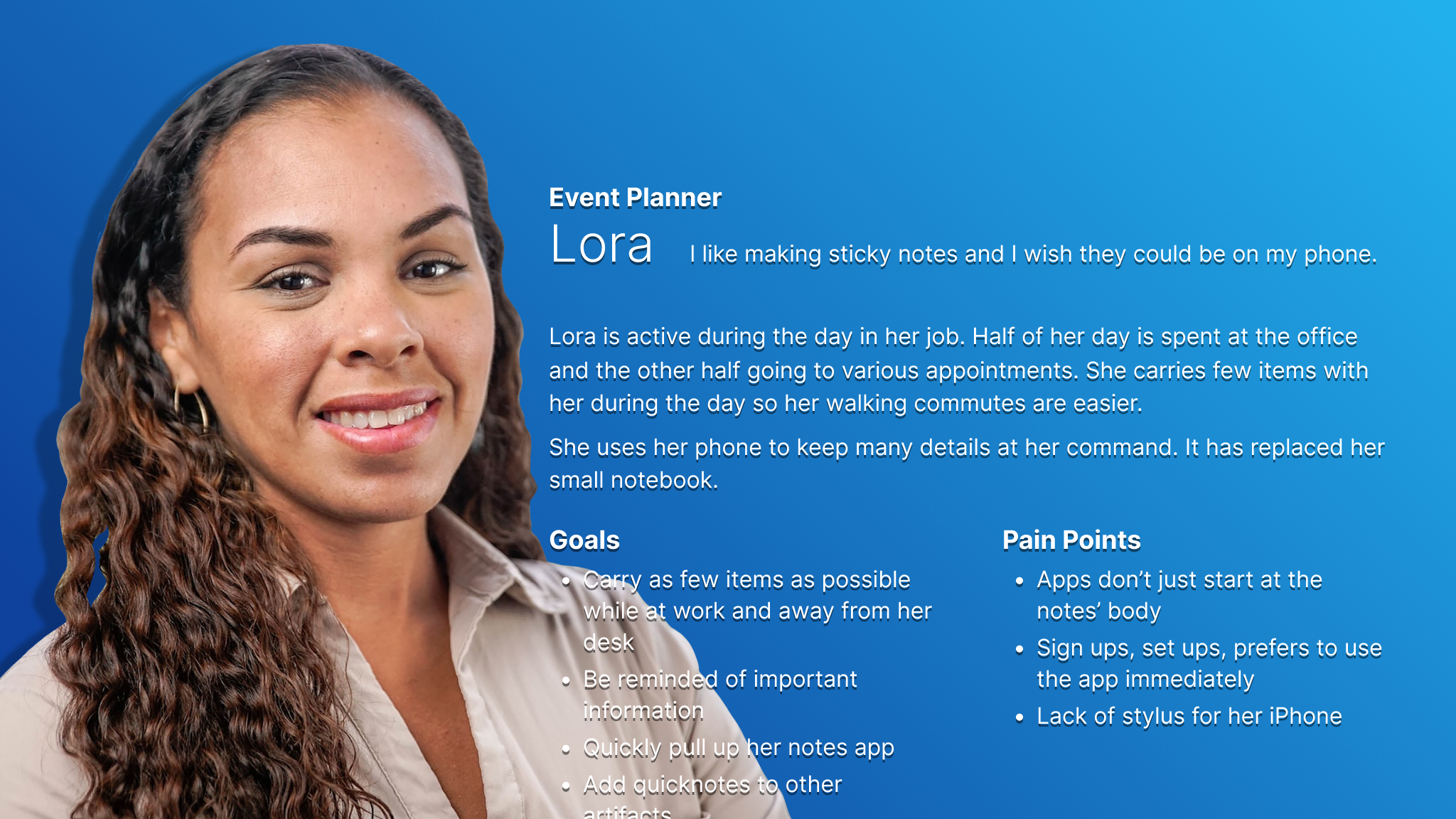
Persona card for Lora who represents users who want to take a few moments longer to create visual notes.
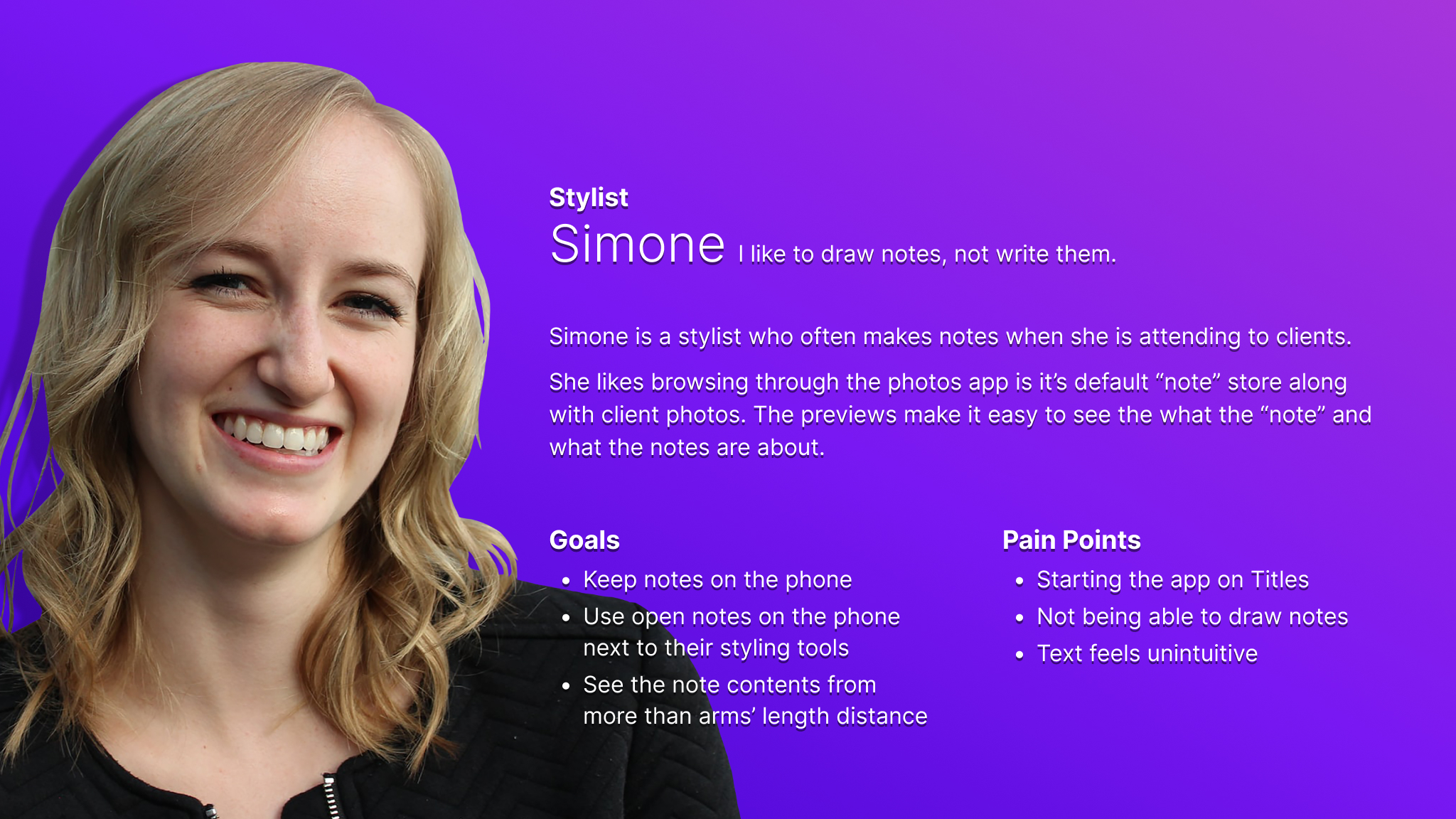
Persona card for Simone who represents users who don't have much time to create visual notes.

3 — Research & Key Challenges

Research was performed by interviewing people who liked using real life sticky notes. The key challenge was repeatedly resisting our own efforts at gold plating.

4 — Initial Design Concepts & Wireframes

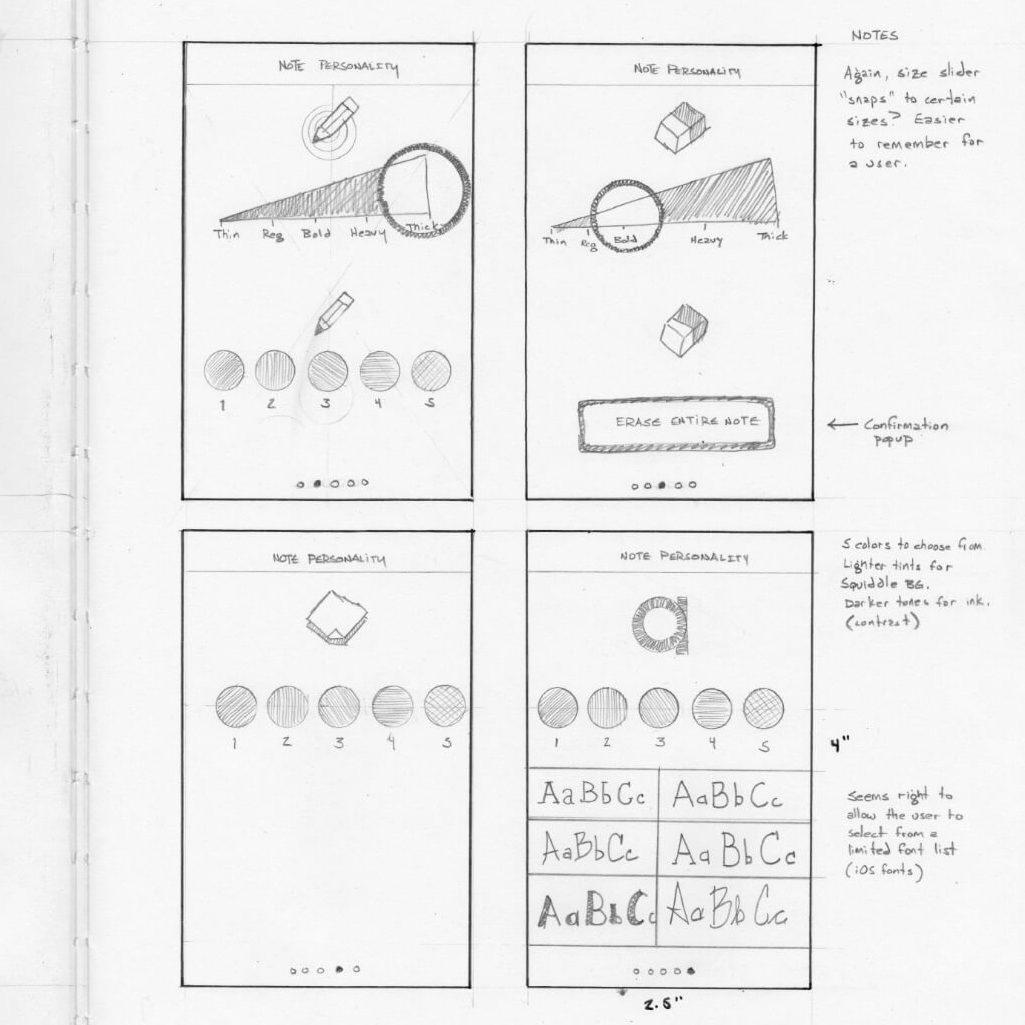
We started with real pencil and paper to immerse ourselves in the organic feel we wanted to preserve for the user. Squares are the shape of sticky notes and simple shapes, so we decided to stick to simple shapes for the user interface and icons as well.
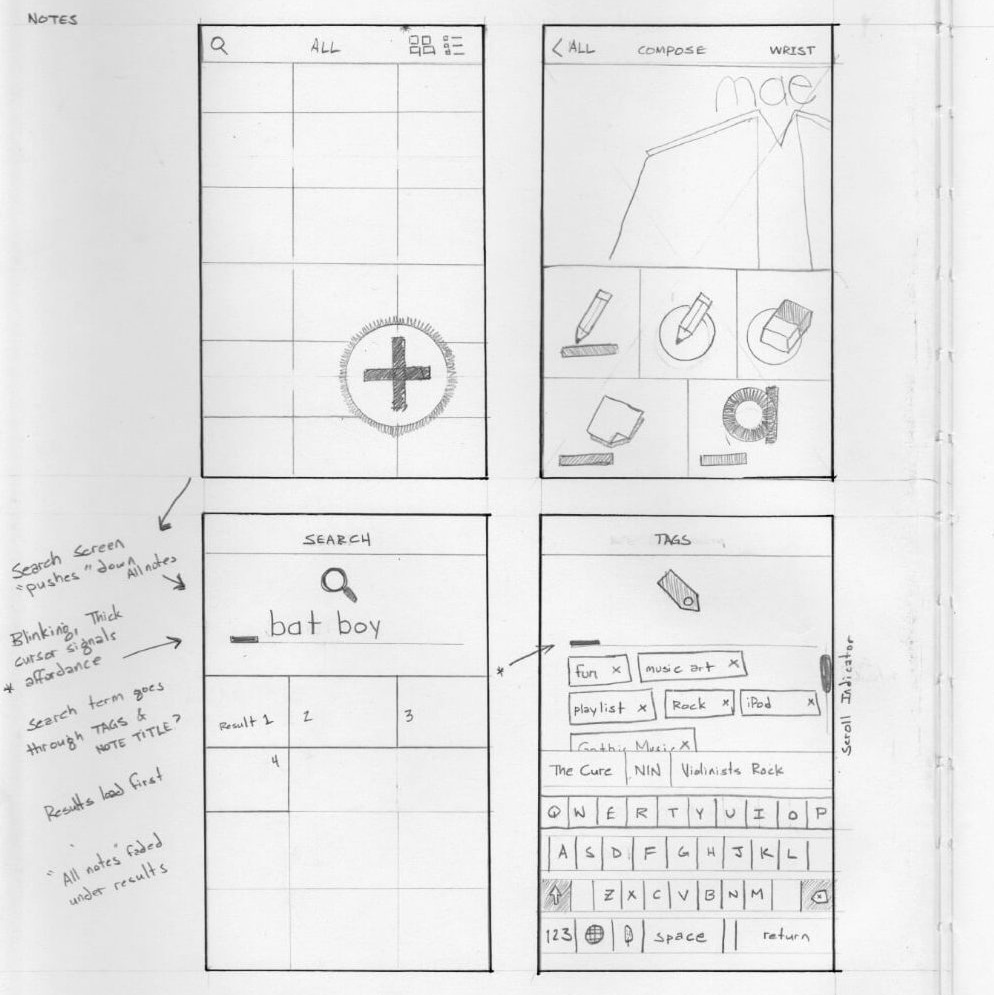
Hand sketch showing original thoughts for the home, note, tag, and search screens.
Hand sketch showing original thinking for the pen, eraser, note, and text option screens.

5 — Usability Testing

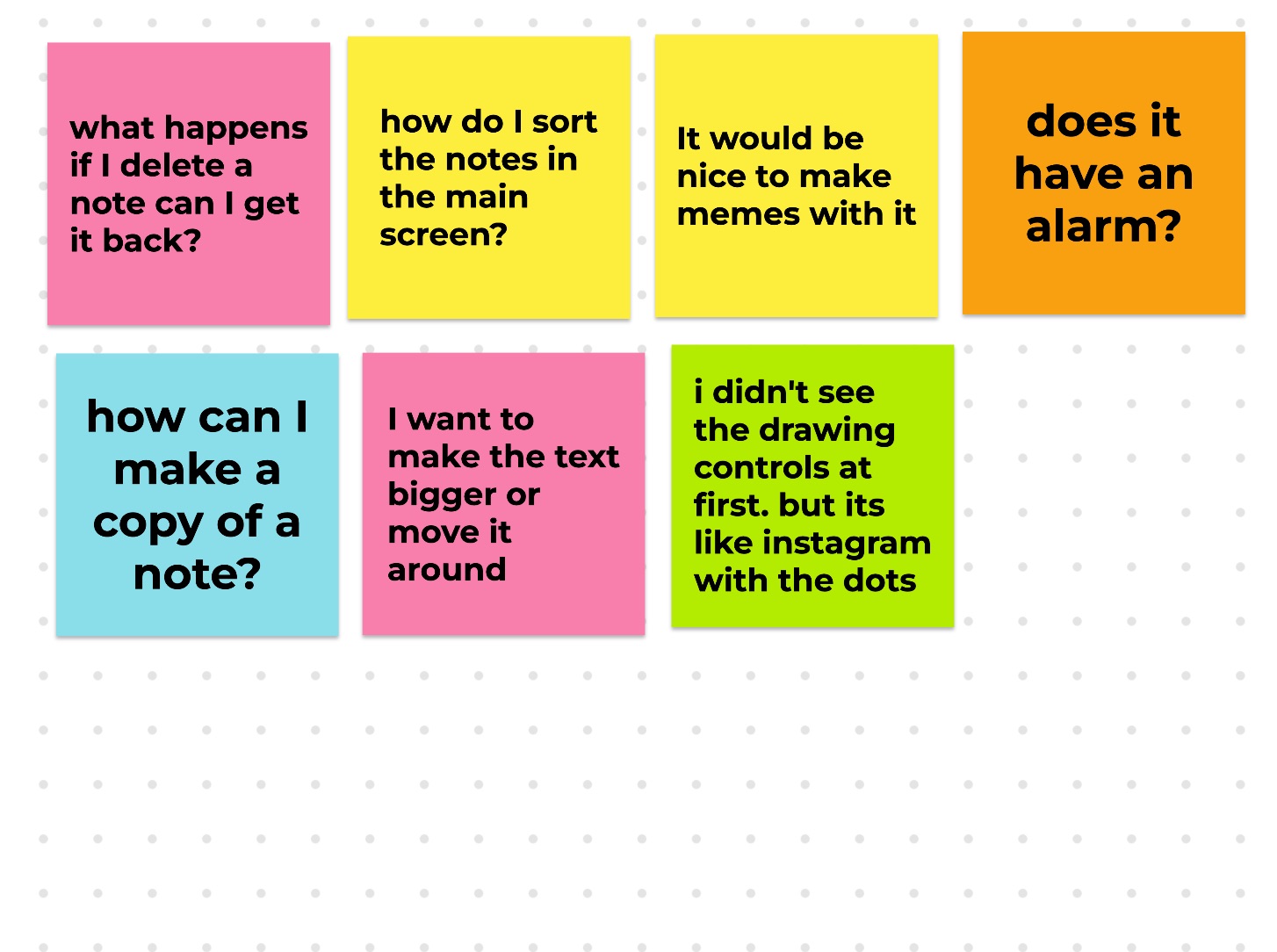
We asked friends and family to look at Sketch mockups, sized for their phones, to get their feedback. We took that feedback to inform further iterative work on the app.
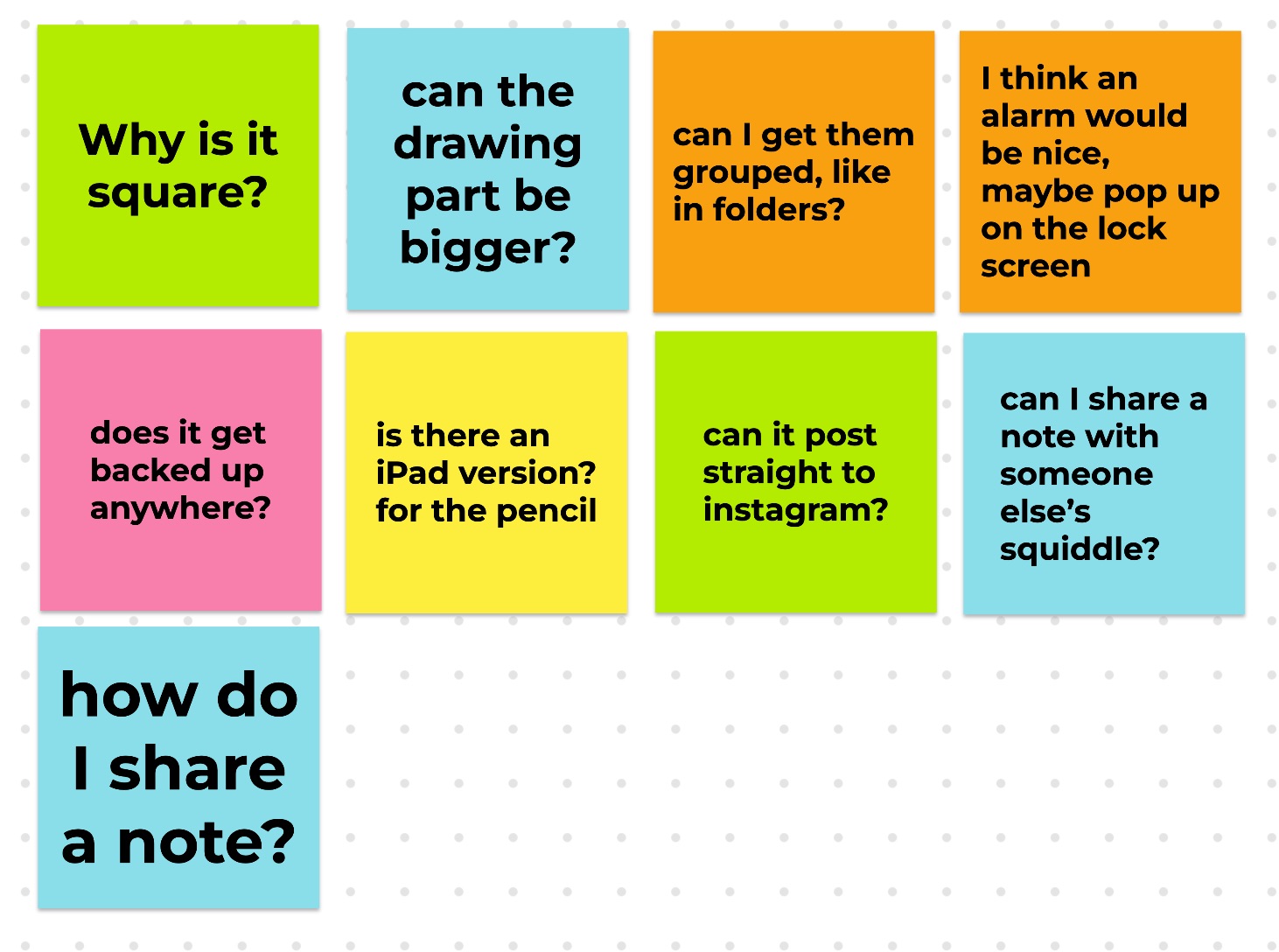
Questions from wireframe prototype tester number one.
Questions from wireframe prototype tester number two.

6 — Conclusion

While the first version of the app is in the App Store, we are currently working to make the second version more robust and friendly.

Try the prototype →

Skills

Accessibility

Designing and coding within accepted standards to ensure equal access regardless of technology.

  • Accessible Markup
  • Proper ARIA
  • WCAG 2.2
  • Screen Readers

Design

Design means intentially creating for both the users’ task outcomes and the business goals.

  • Inclusive Design
  • Design Systems
  • Product Design
  • Visual Design

Technical

Technology is how we build products. We must consider feasibility, accessibility, and timelines.

  • Accessible Markup
  • Frontend
  • HTML, SCSS, CSS
  • Working within technical constraints

User Experience

This means learning about users and designing for their needs while respecting the business goals.

  • User Research
  • Information Architecture
  • Accessible Content
  • Public Speaking

Certifications

Practical Accessibility
Certified by Sara Soueidan
2025-01-07
DHS Trusted Tester
Certified by Department of Homeland Security
2024-10-28
Smart Interface Design Patterns
Certified by Smashing Magazine
2024-05-31
Designers Accessibility Curriculum
Certified by Deque University
2023-03-09
W3C Intro to Accessibility
Certified by W3C via edX
2021-12-22
Google UX Design
Certified by Google via Coursera
2021-11-24
Interaction Design
Certified by UC San Diego via Coursera
2018-05-27

Talks

Just in Time Usability

Isral Duke presents why accessibility is important for business. He also presents 10 things that site owners can do to quick check their site's accessibility and usability. Presented at a local ecommerce group lunch.

Accessible, Friendly Content

Isral Duke demonstrates how iOS and MacOS VoiceOver presents a simple web page. This talk promotes the use of semantic, meaningful markup to make a better user experience. Presented at Google Developer Groups.

Building Pelican Design System

Isral Duke presents version one of Pelican Design System. He talks about how it was created, and what's coming next in version two. Presented at SQL Saturday.

References

James Alt’s LinkedIn avatar. James Alt Chief Architect at Louisiana Office of Technology Services Kristina Truong’s LinkedIn avatar. Kristina Truong UX Designer at Louisiana Office of Technology Services Elle Waters’s LinkedIn avatar. Elle Waters Accessibility at Workday Guy J. Anglade’s LinkedIn avatar. Guy J. Anglade Director of Website Content at Morgan Stanley Patrick Rills’s LinkedIn avatar. Patrick Rills Engineering Manager at RevenueCat Glynnis Ritchie’s LinkedIn avatar. Glynnis Ritchie UX / UI and Product Designer at Flagrant Dr. James Davis’s LinkedIn avatar. Dr. James Davis Freelance client at Louisiana State University Matthew Magnuson’s LinkedIn avatar. Matthew Magnuson Managing Partner at DMM Motorsports Mike Cole’s LinkedIn avatar. Mike Cole Product Manager at Harman