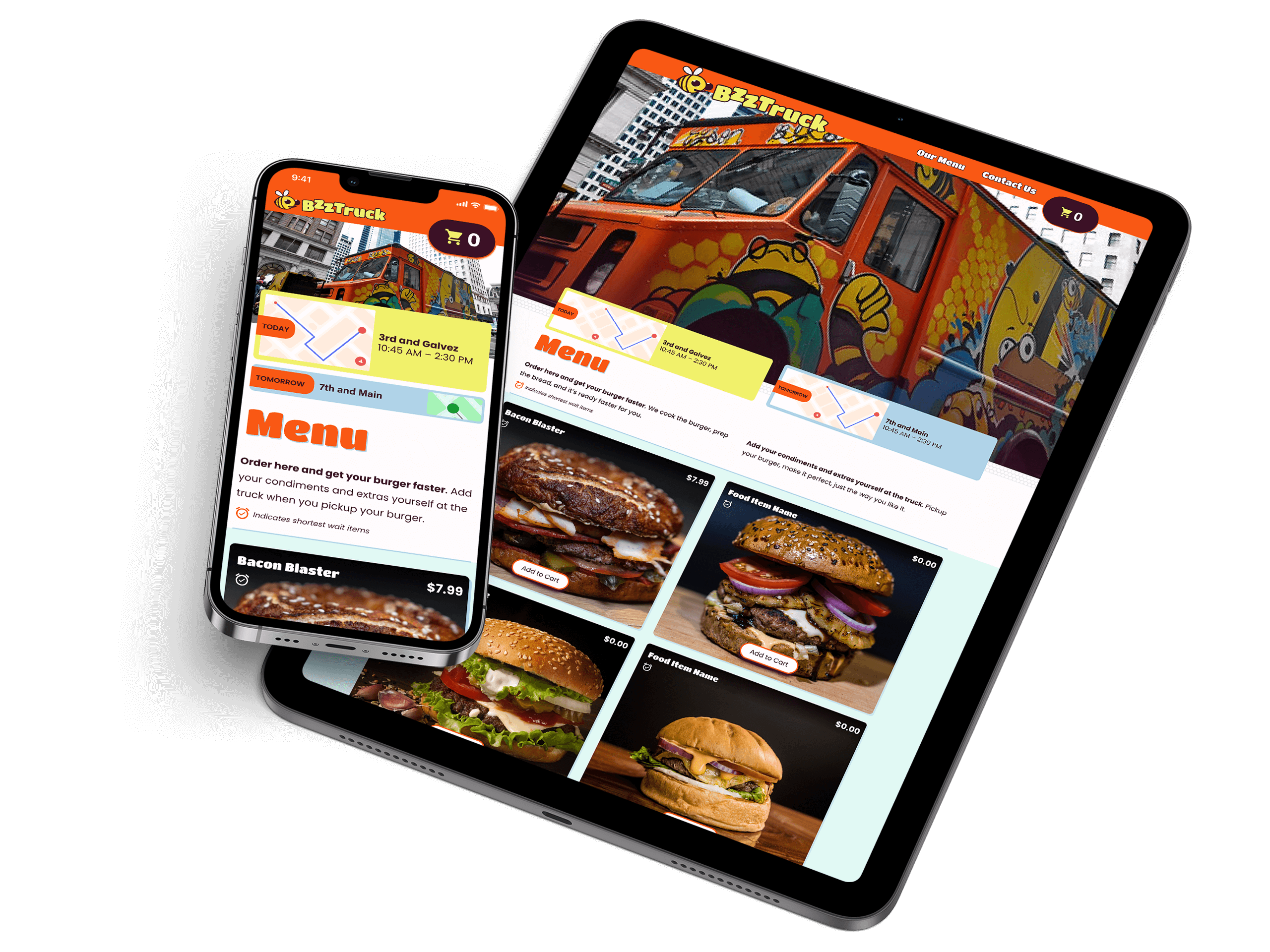
CASE STUDY

Food Truck Site

Type
Personal
Platform
Web
Status
Proposed

1 — Project Goal

Create a responsive website so customers know when the food truck is in their area and can place their order ahead of time.

2 — Target Audience

BzzTruck's audience is primarily onsite employees and workers in the cities where it has a presence. These are mostly office workers in a variety of sectors.
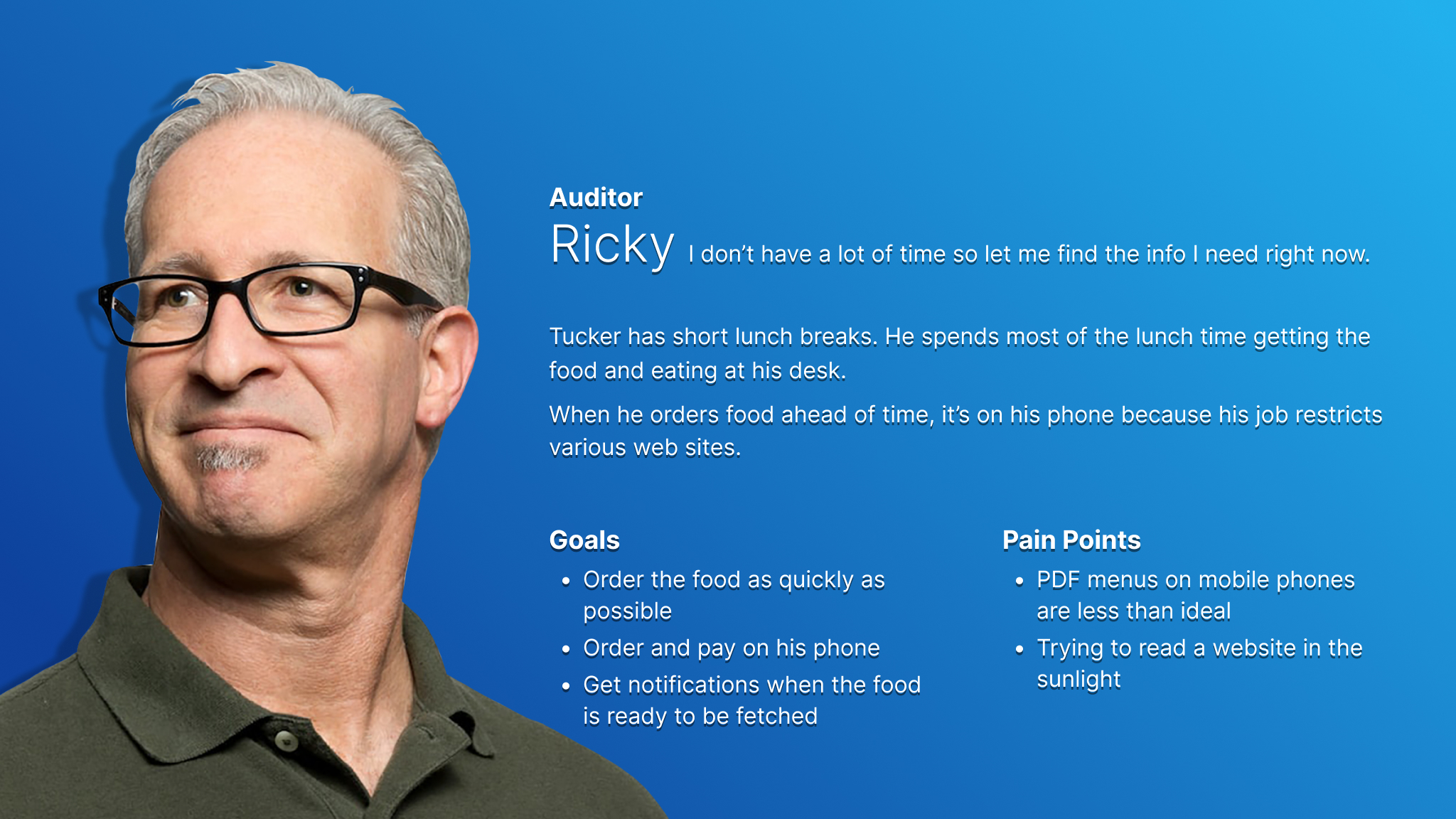
Persona card for Ricky, who represents older food truck site users and users who are pressed for time.
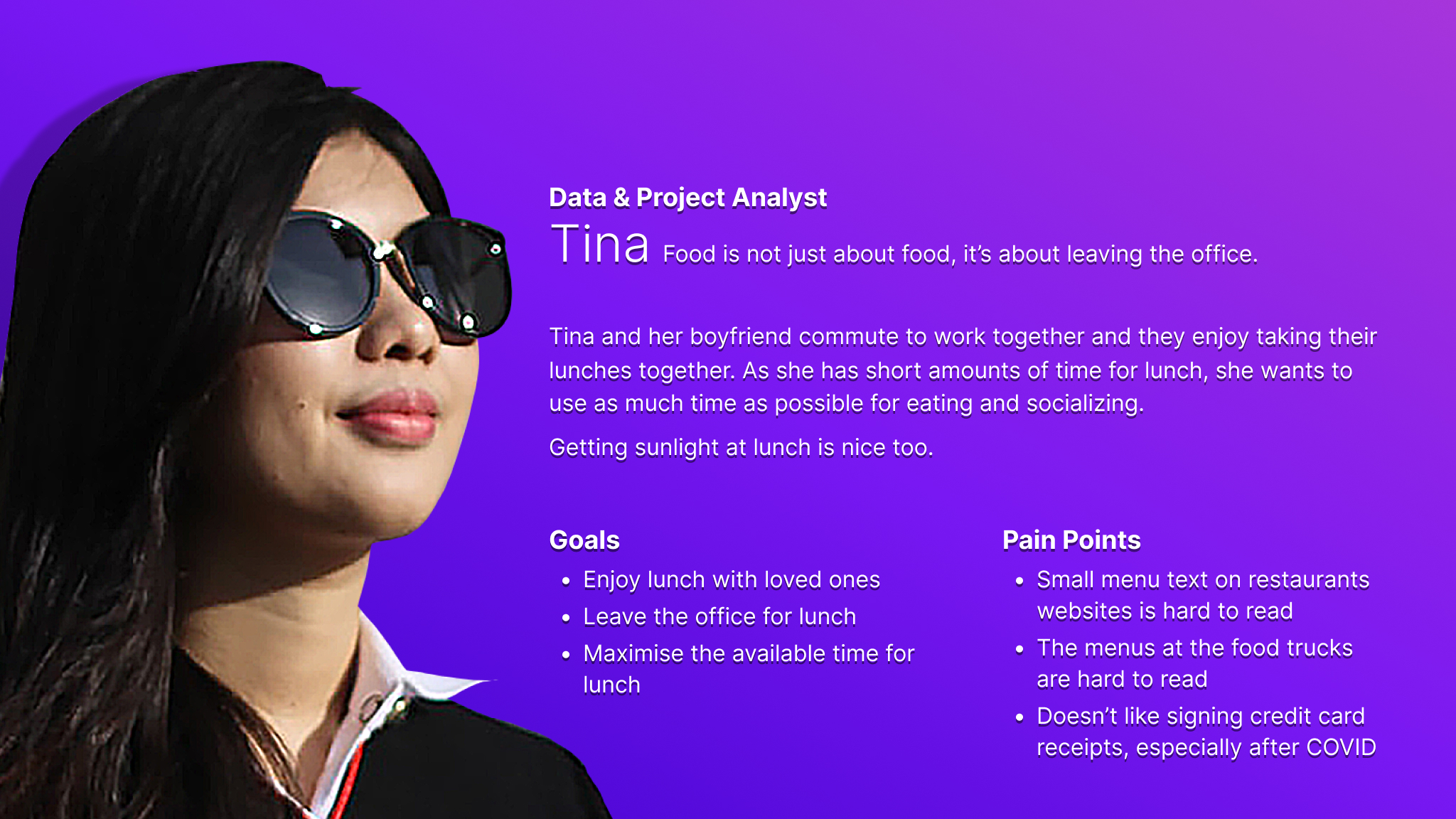
Persona card for Tina, who represents younger food truck site users and users who want a daily food experience.

3 — Research & Key Challenges

During remote interviews I uncovered popular food trucks in the regions where the participants lived. These participants also gave me information in the usability studies remotely, via teleconferencing and screen sharing, to create user journeys. The key challenge was to condense the client's expectations and market-standard features into a simple website.
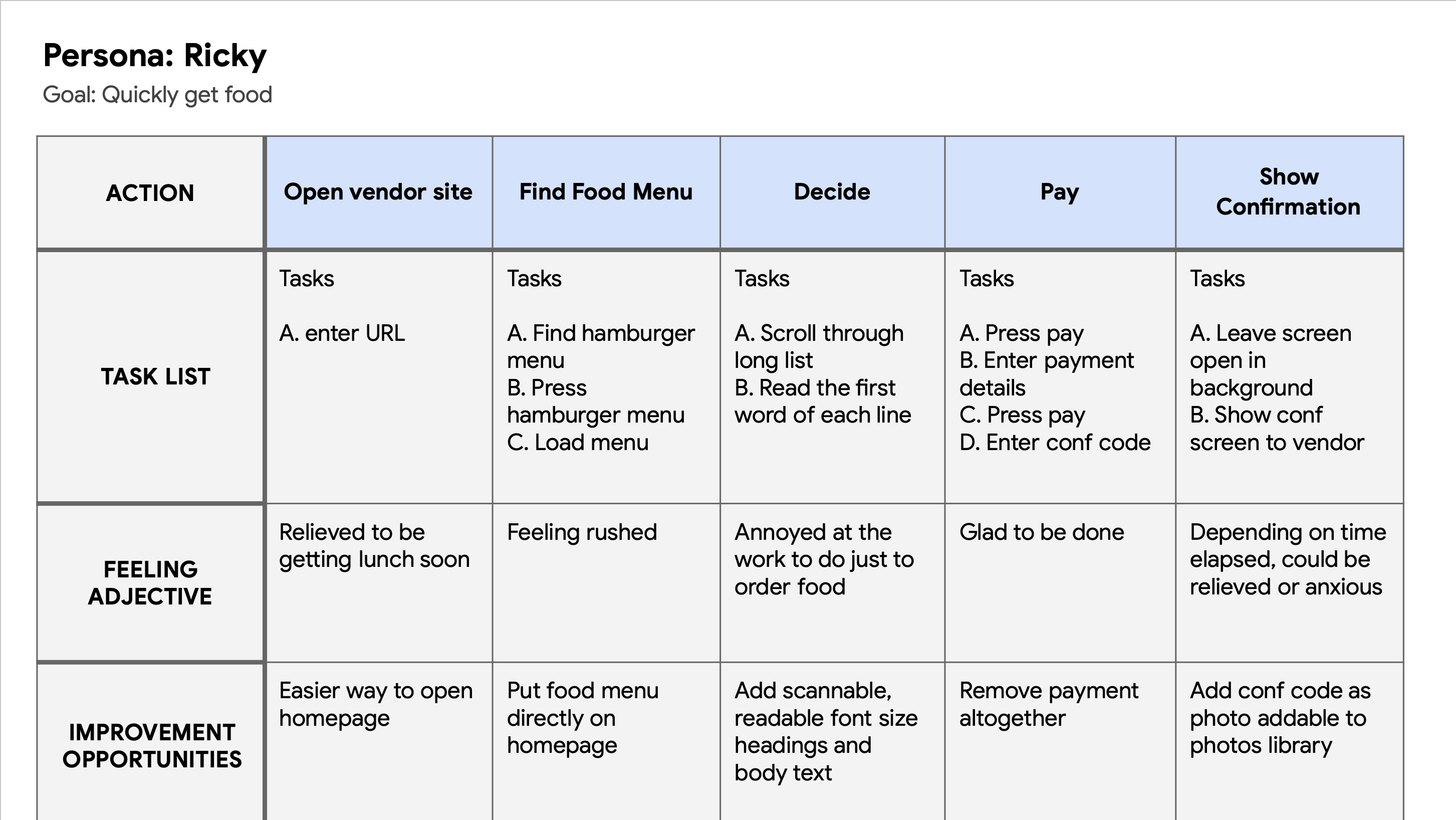
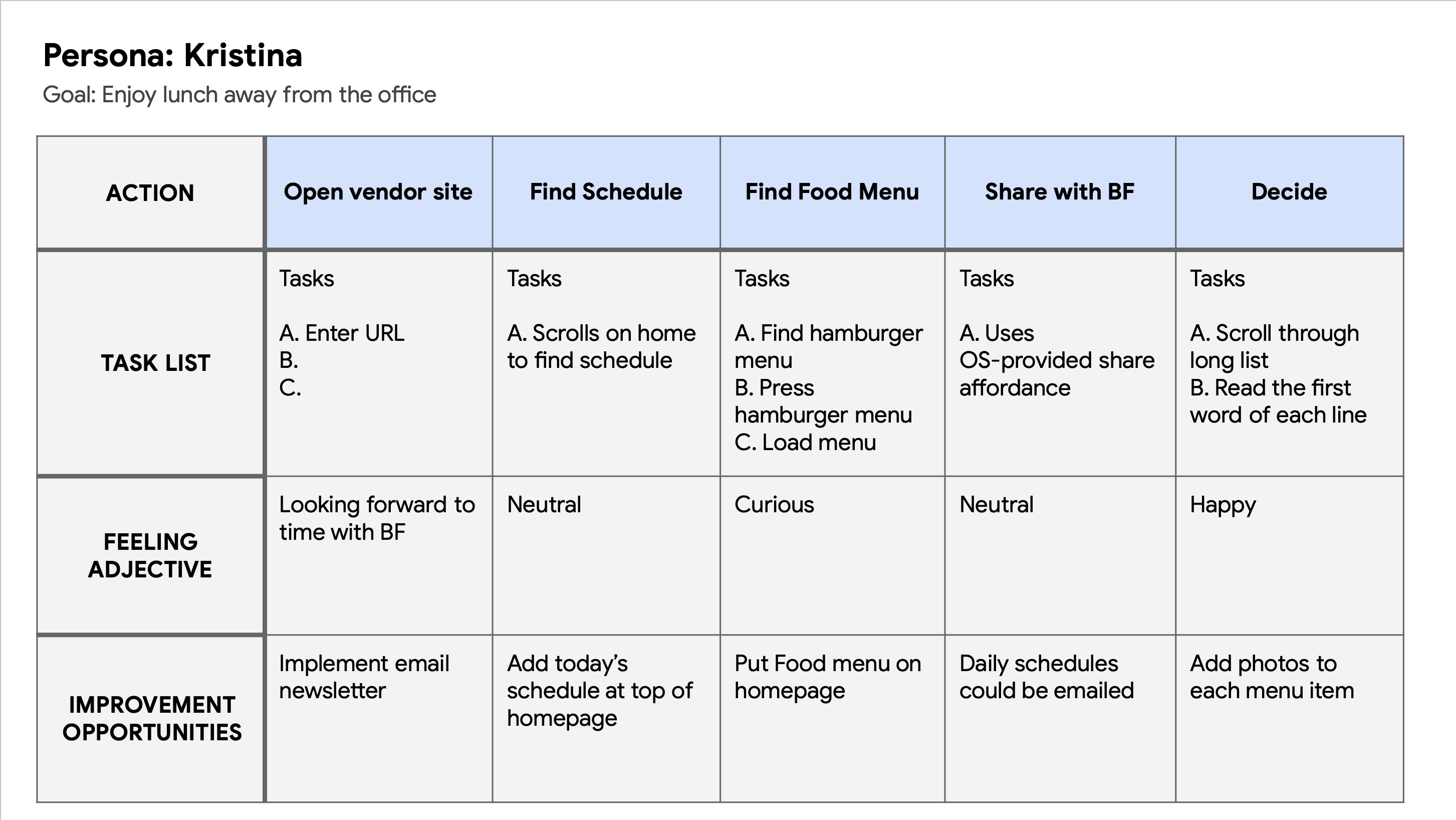
User journey map for Ricky.
User journey map for Tina.

4 — Initial Design Concepts & Wireframes

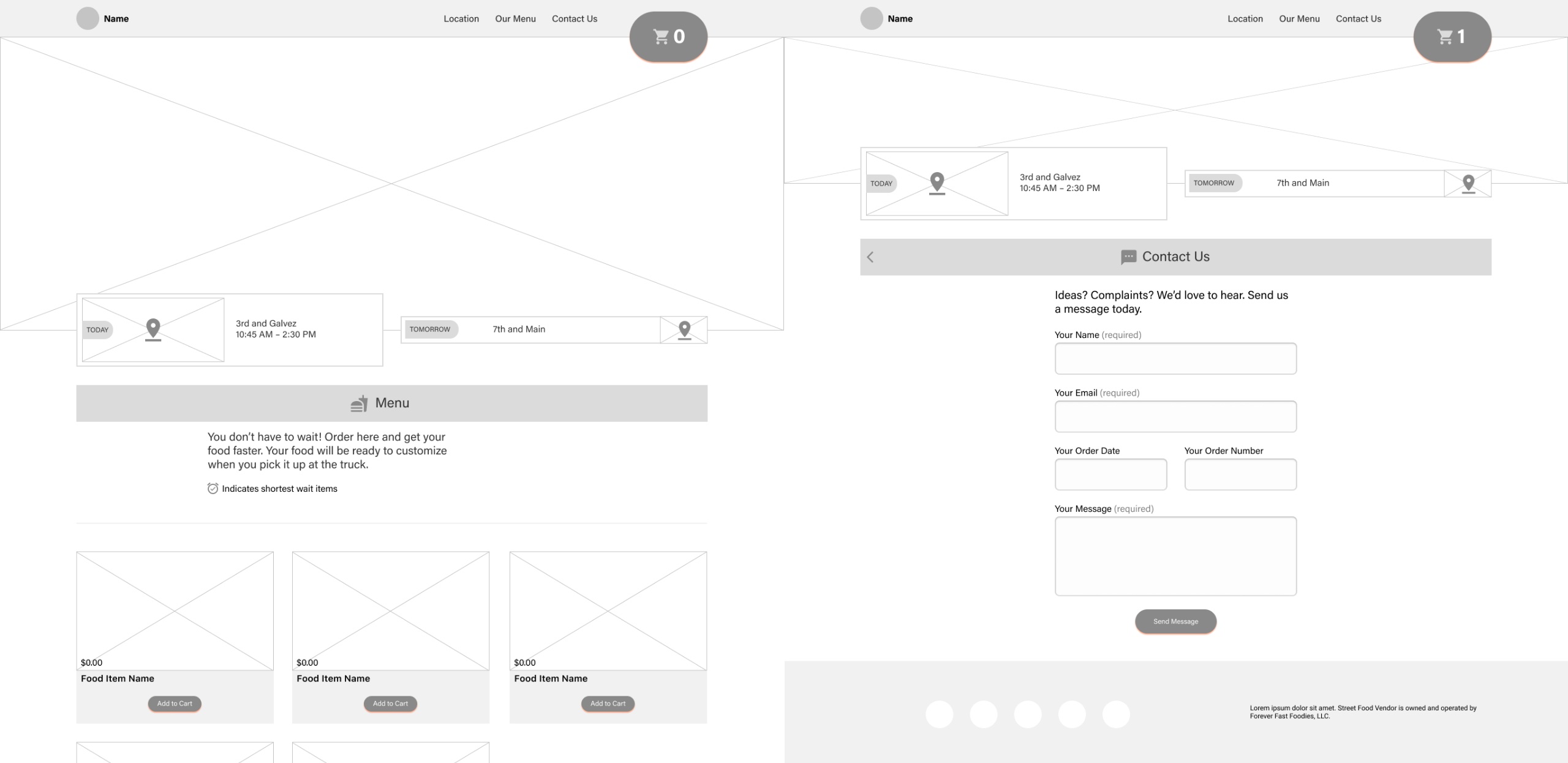
The wireframes were created alongside the users' input. Their interviews became the basis for decisions made in the digital wireframes.
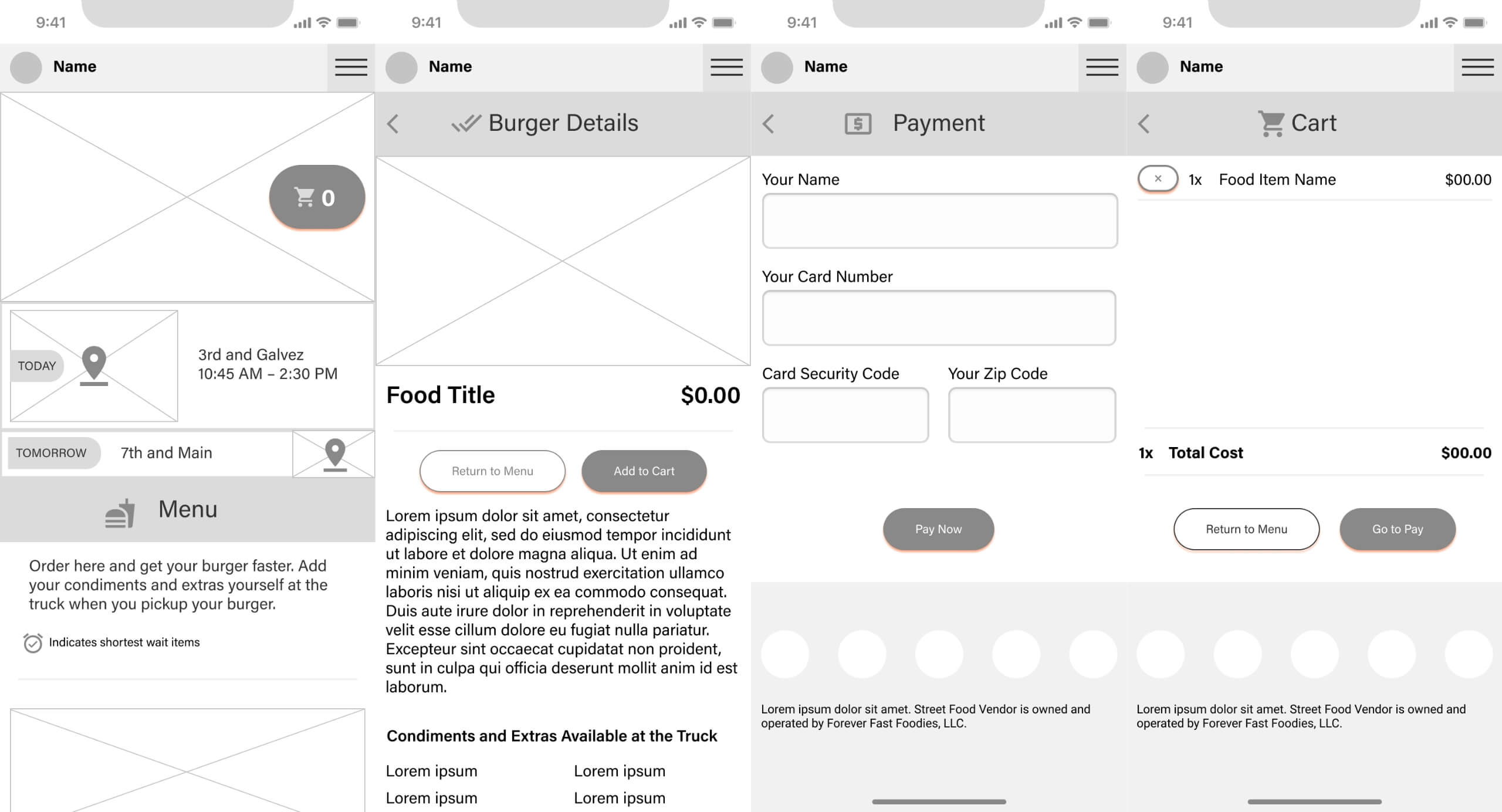
Digital wireframes for the iPhone size screens for home, food details, payment, and shopping cart screens.
Digital wireframes for the iPad size screens for the home and contact screens.

5 — Usability Testing

Usability testing data was recorded in a spreadsheet for each of the participants. The responses were transformed into affinity groups to find themes.
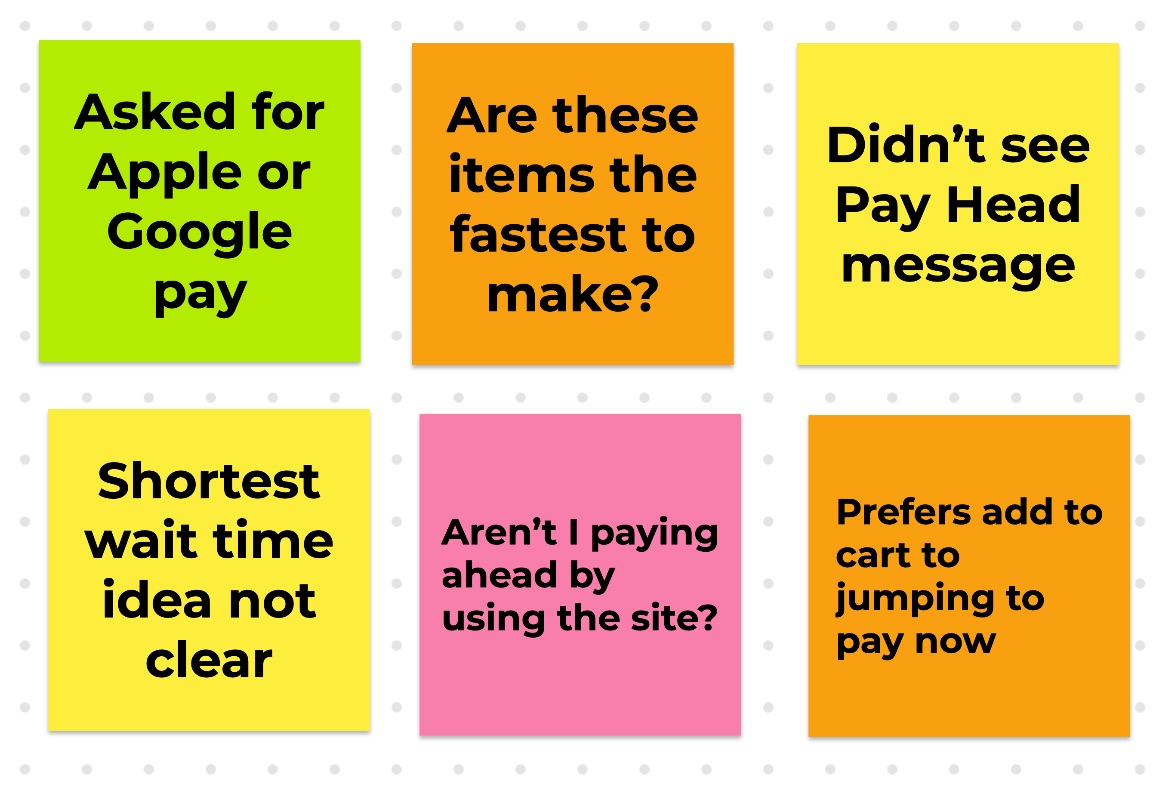
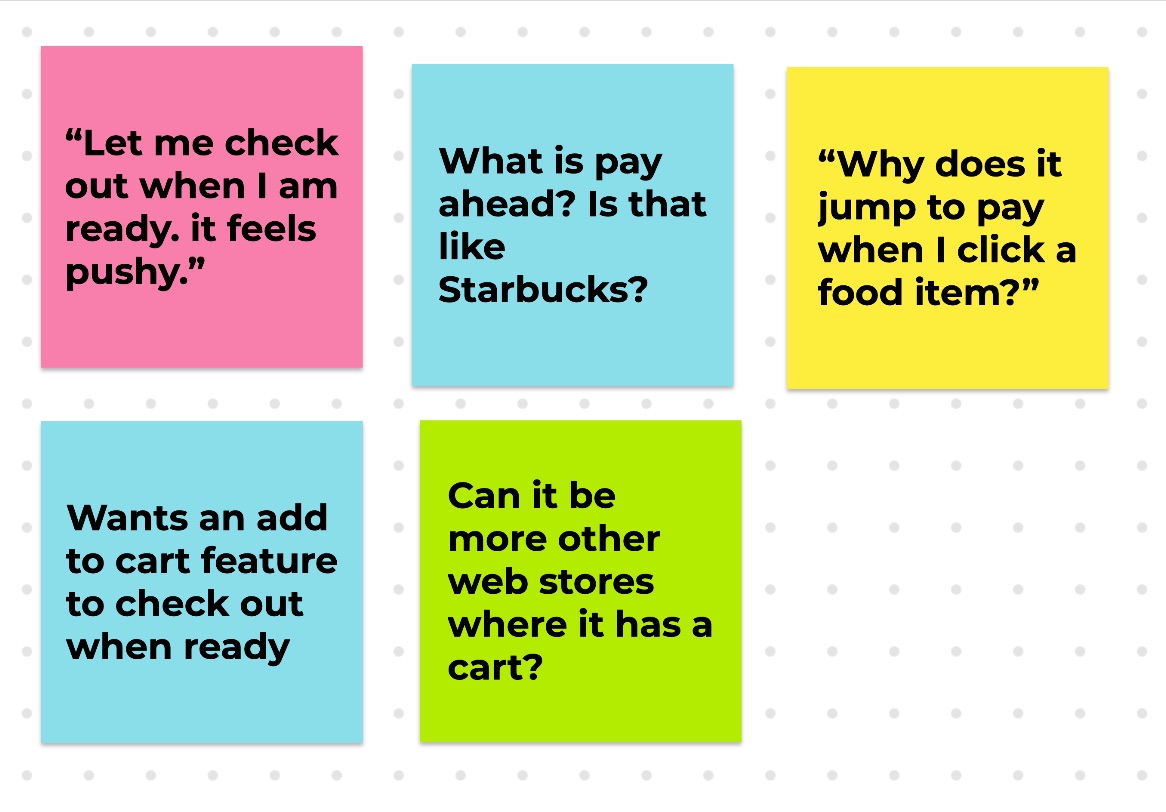
Usability issues recorded when tester 1 reviewed the wireframe prototype.
Usability issues recorded when tester 2 reviewed the wireframe prototype.

6 — Conclusion

Depending on BzzTruck's business success, a mobile application will be designed which will feature notifications in conjunction with order ahead and proximity sensing.

Try the prototype →

Skills

Accessibility

Designing and coding within accepted standards to ensure equal access regardless of technology.

  • Accessible Markup
  • Proper ARIA
  • WCAG 2.2
  • Screen Readers

Design

Design means intentially creating for both the users’ task outcomes and the business goals.

  • Inclusive Design
  • Design Systems
  • Product Design
  • Visual Design

Technical

Technology is how we build products. We must consider feasibility, accessibility, and timelines.

  • Accessible Markup
  • Frontend
  • HTML, SCSS, CSS
  • Working within technical constraints

User Experience

This means learning about users and designing for their needs while respecting the business goals.

  • User Research
  • Information Architecture
  • Accessible Content
  • Public Speaking

Certifications

Practical Accessibility
Certified by Sara Soueidan
2025-01-07
DHS Trusted Tester
Certified by Department of Homeland Security
2024-10-28
Smart Interface Design Patterns
Certified by Smashing Magazine
2024-05-31
Designers Accessibility Curriculum
Certified by Deque University
2023-03-09
W3C Intro to Accessibility
Certified by W3C via edX
2021-12-22
Google UX Design
Certified by Google via Coursera
2021-11-24
Interaction Design
Certified by UC San Diego via Coursera
2018-05-27

Talks

Just in Time Usability

Isral Duke presents why accessibility is important for business. He also presents 10 things that site owners can do to quick check their site's accessibility and usability. Presented at a local ecommerce group lunch.

Accessible, Friendly Content

Isral Duke demonstrates how iOS and MacOS VoiceOver presents a simple web page. This talk promotes the use of semantic, meaningful markup to make a better user experience. Presented at Google Developer Groups.

Building Pelican Design System

Isral Duke presents version one of Pelican Design System. He talks about how it was created, and what's coming next in version two. Presented at SQL Saturday.

References

James Alt’s LinkedIn avatar. James Alt Chief Architect at Louisiana Office of Technology Services Kristina Truong’s LinkedIn avatar. Kristina Truong UX Designer at Louisiana Office of Technology Services Elle Waters’s LinkedIn avatar. Elle Waters Accessibility at Workday Guy J. Anglade’s LinkedIn avatar. Guy J. Anglade Director of Website Content at Morgan Stanley Patrick Rills’s LinkedIn avatar. Patrick Rills Engineering Manager at RevenueCat Glynnis Ritchie’s LinkedIn avatar. Glynnis Ritchie UX / UI and Product Designer at Flagrant Dr. James Davis’s LinkedIn avatar. Dr. James Davis Freelance client at Louisiana State University Matthew Magnuson’s LinkedIn avatar. Matthew Magnuson Managing Partner at DMM Motorsports Mike Cole’s LinkedIn avatar. Mike Cole Product Manager at Harman