CASE STUDY

Event Guide App

Type
Personal
Platform
Xamarin
Status
Proposed

1 — Project Goal

Create a mobile app for people attending SQL Saturday Baton Rouge, LA, an annual developer-focused conference. Allow them to bookmark sessions and browse by session metadata.

2 — Target Audience

Developers, database administrators, and other information technology workers such as designers, project managers, and business analysts.
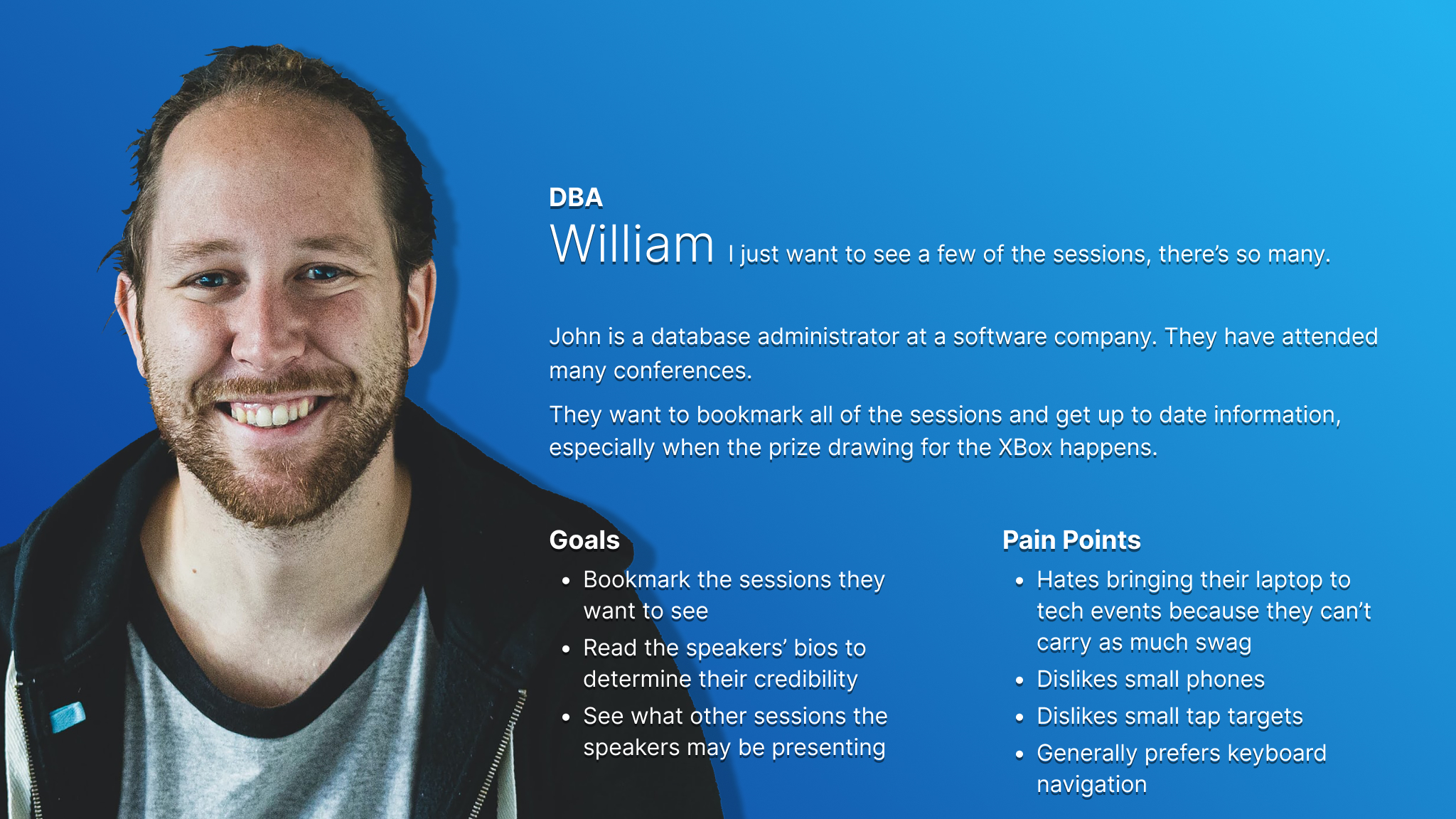
Persona card for William who represents back end developers and users who care about the data model of the app.
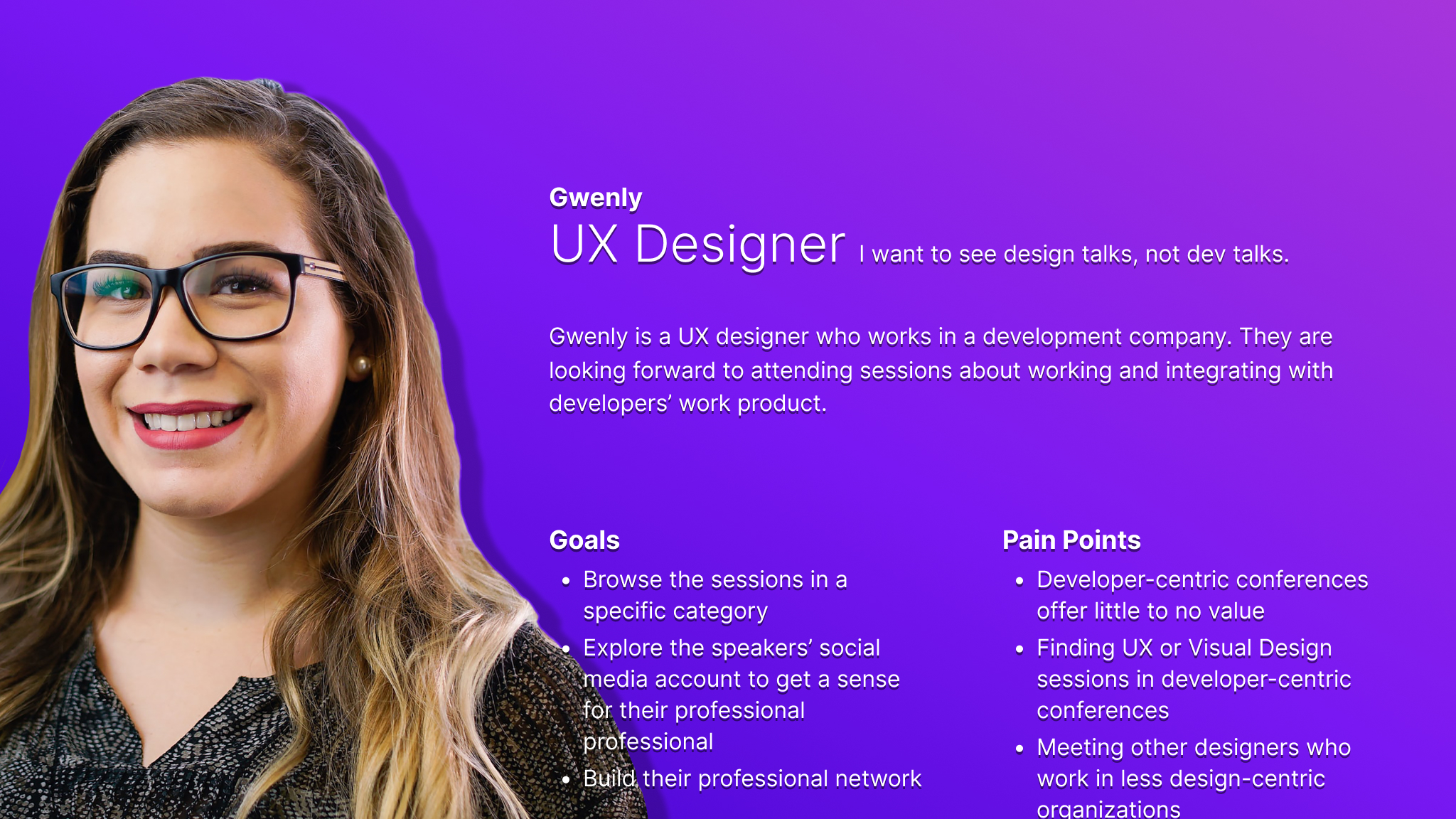
Persona card for Gwenly who represents designers and the information organization within the app.

3 — Research & Key Challenges

Research was conducted using past years' attendees' feedback surveys. Features were generated from insights gathered from the surveys. The app is designed to be easily developed using Xamarin and many pre-defined layouts, enabling us to produce the app more quickly for both iOS and Android.

4 — Initial Design Concepts & Wireframes

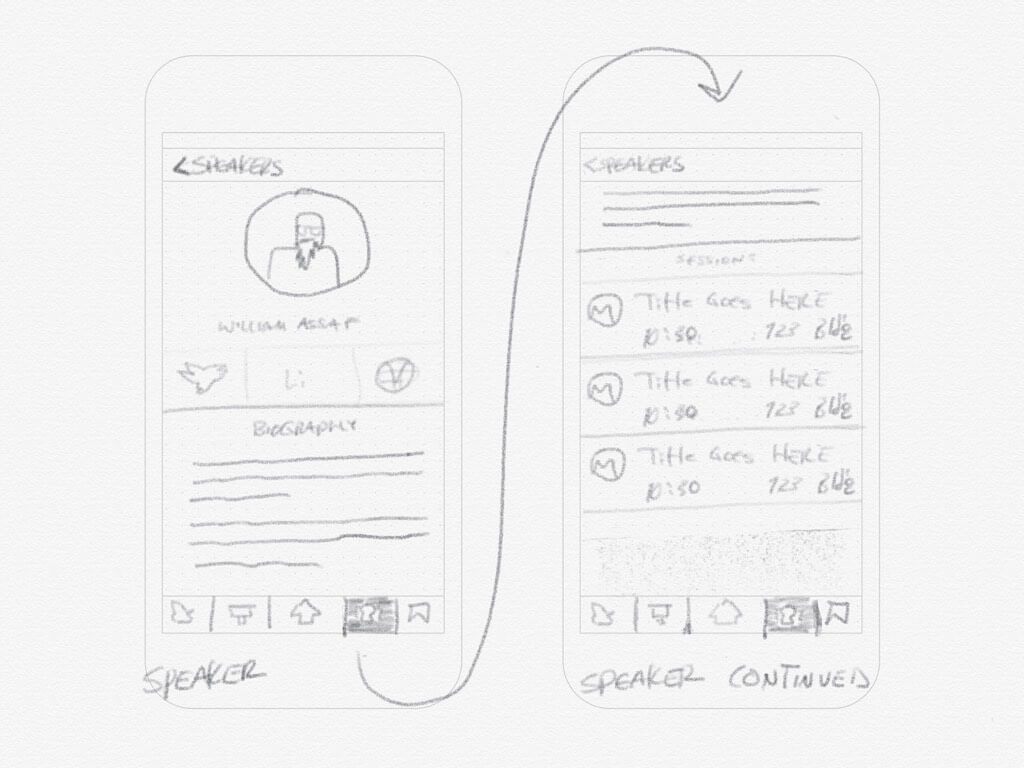
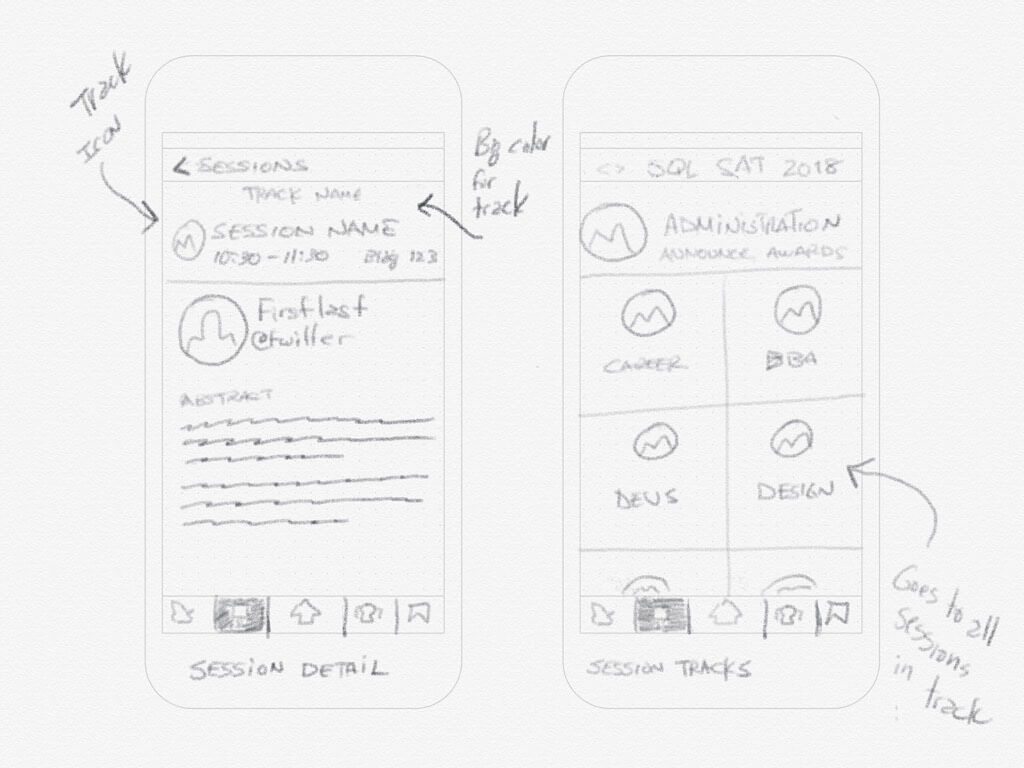
The initial design concepts were sketched on the fly in one of the initial planning meetings for the event. Using an ad hoc competitive analysis of other event guide apps, the event advisory board generated the app parameters.
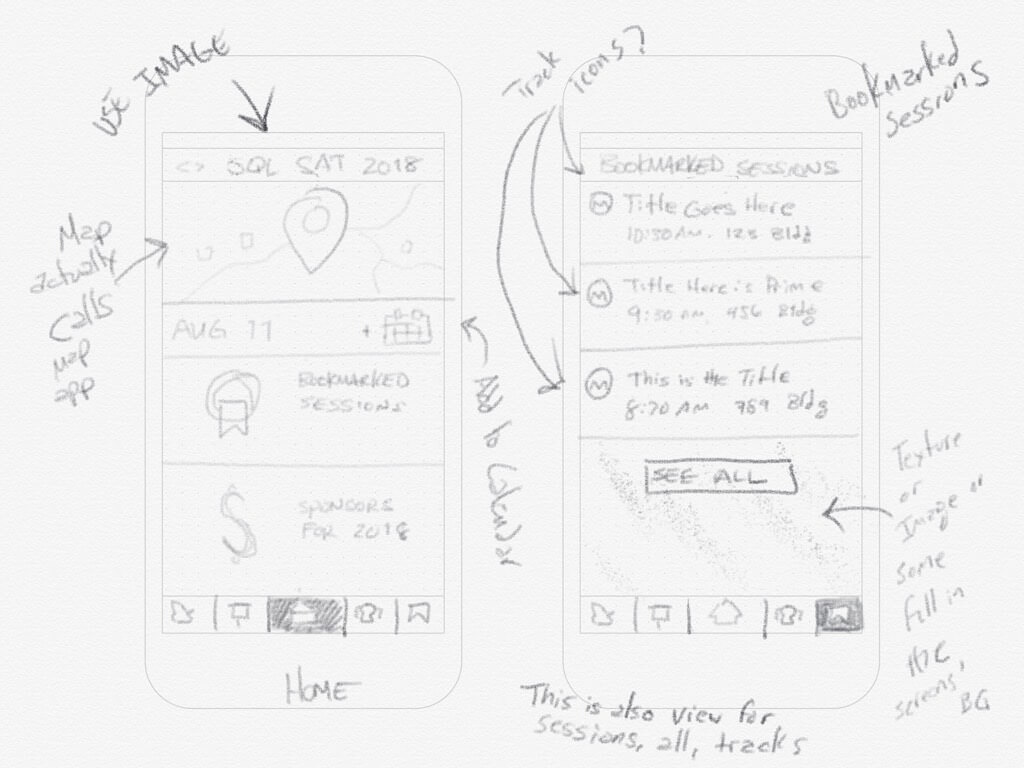
Digital hand sketch of the home screen and bookmarked sessions screen.
Digital hand sketch of the session details screen and the session categories screen.
Digital hand sketch of the speaker details screen.

5 — Usability Testing

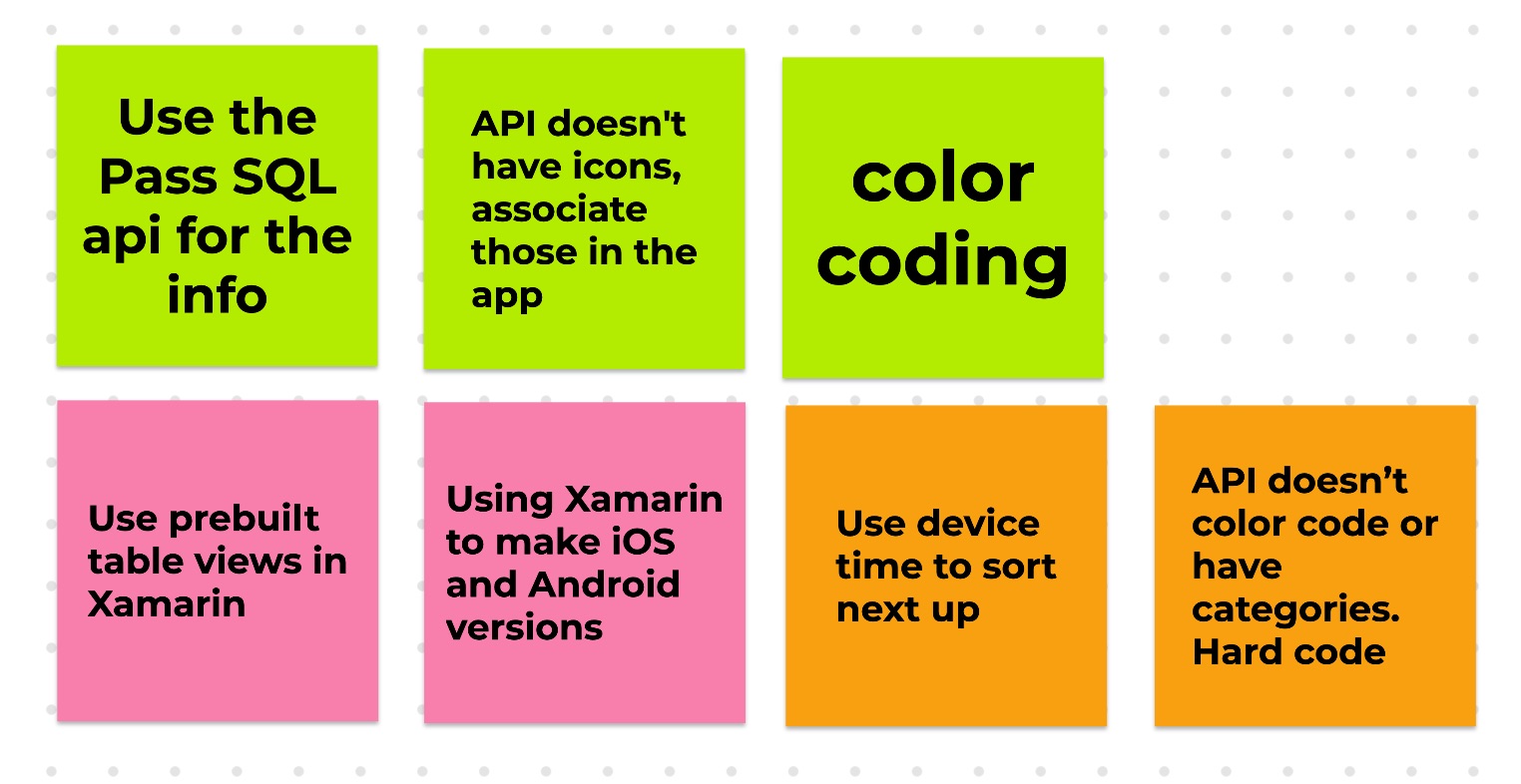
Usability was taken from the limitations and considerations discussed by the executive team. These items were influenced by the timeline and technical constraints of the project.
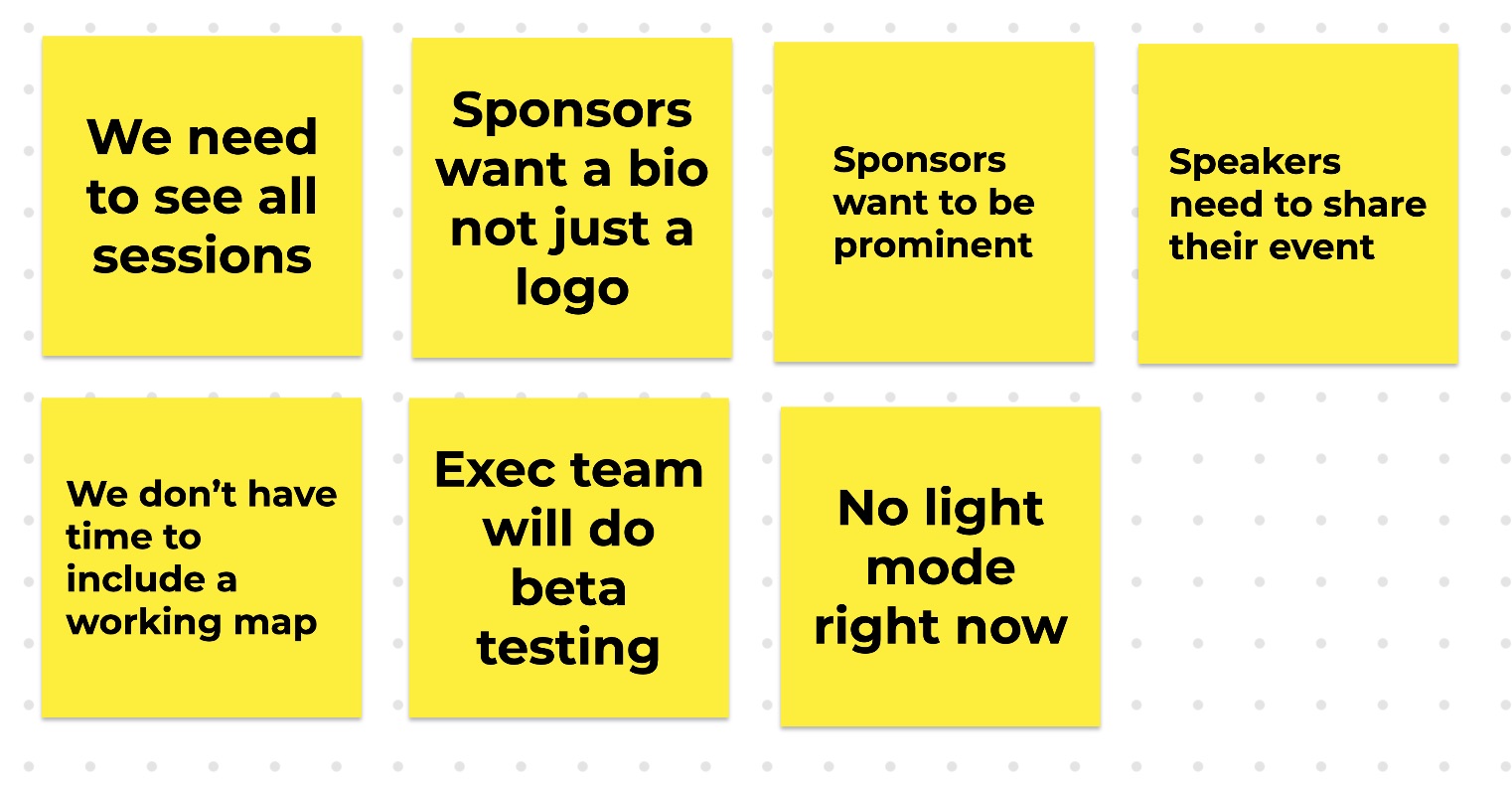
Feature constraints captured from an executive team member.
Technical constraints captured from several executive team members.

6 — Conclusion

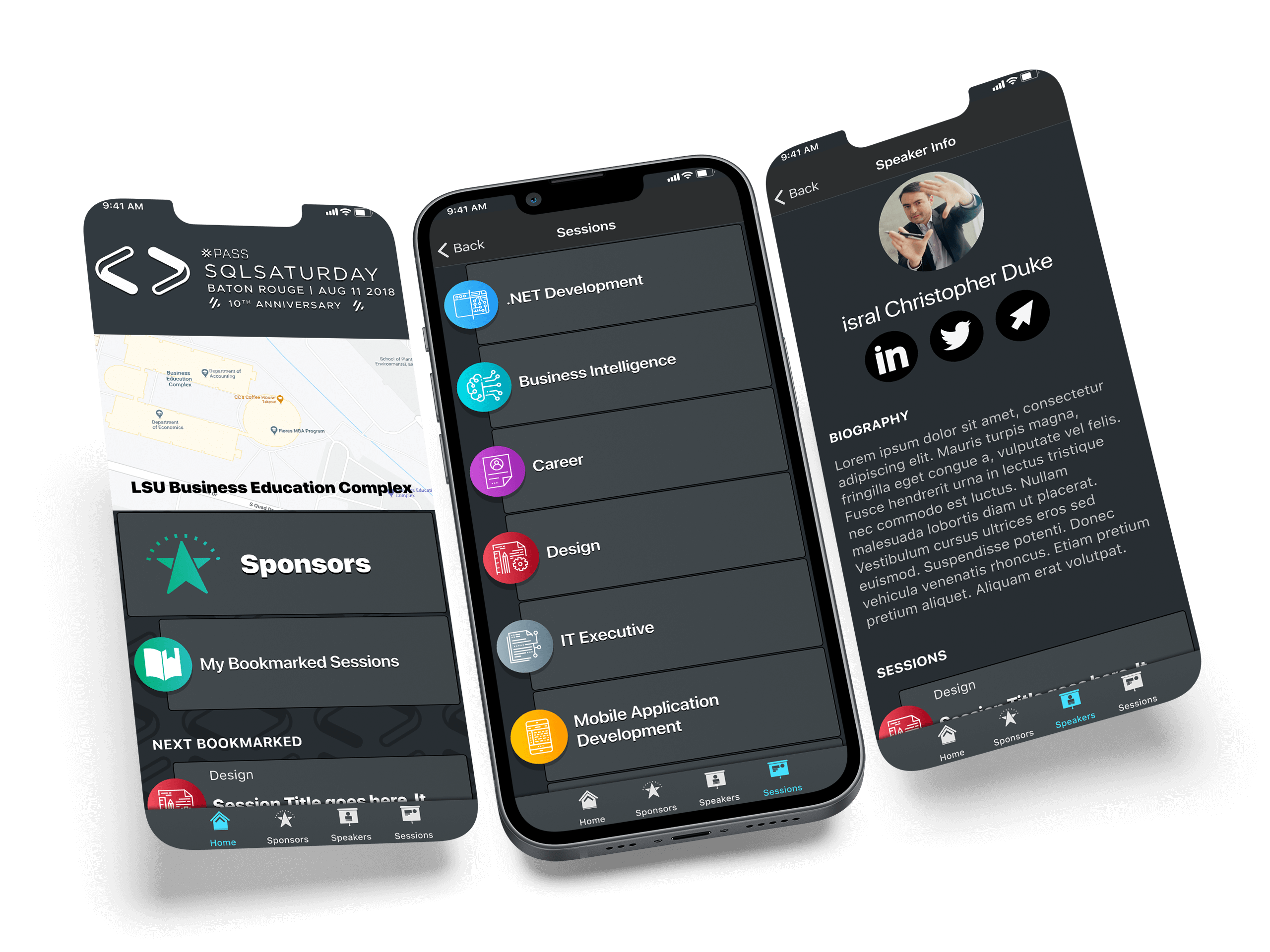
As dark modes are all the rage among developer IDEs, I designed the app with dark mode only. For the next year I will add a light mode to the app. The annual event is including more management types, so the additional choice will be timely.

Try the prototype →

Skills

Accessibility

Designing and coding within accepted standards to ensure equal access regardless of technology.

  • Accessible Markup
  • Proper ARIA
  • WCAG 2.2
  • Screen Readers

Design

Design means intentially creating for both the users’ task outcomes and the business goals.

  • Inclusive Design
  • Design Systems
  • Product Design
  • Visual Design

Technical

Technology is how we build products. We must consider feasibility, accessibility, and timelines.

  • Accessible Markup
  • Frontend
  • HTML, SCSS, CSS
  • Working within technical constraints

User Experience

This means learning about users and designing for their needs while respecting the business goals.

  • User Research
  • Information Architecture
  • Accessible Content
  • Public Speaking

Certifications

Practical Accessibility
Certified by Sara Soueidan
2025-01-07
DHS Trusted Tester
Certified by Department of Homeland Security
2024-10-28
Smart Interface Design Patterns
Certified by Smashing Magazine
2024-05-31
Designers Accessibility Curriculum
Certified by Deque University
2023-03-09
W3C Intro to Accessibility
Certified by W3C via edX
2021-12-22
Google UX Design
Certified by Google via Coursera
2021-11-24
Interaction Design
Certified by UC San Diego via Coursera
2018-05-27

Talks

Just in Time Usability

Isral Duke presents why accessibility is important for business. He also presents 10 things that site owners can do to quick check their site's accessibility and usability. Presented at a local ecommerce group lunch.

Accessible, Friendly Content

Isral Duke demonstrates how iOS and MacOS VoiceOver presents a simple web page. This talk promotes the use of semantic, meaningful markup to make a better user experience. Presented at Google Developer Groups.

Building Pelican Design System

Isral Duke presents version one of Pelican Design System. He talks about how it was created, and what's coming next in version two. Presented at SQL Saturday.

References

James Alt’s LinkedIn avatar. James Alt Chief Architect at Louisiana Office of Technology Services Kristina Truong’s LinkedIn avatar. Kristina Truong UX Designer at Louisiana Office of Technology Services Elle Waters’s LinkedIn avatar. Elle Waters Accessibility at Workday Guy J. Anglade’s LinkedIn avatar. Guy J. Anglade Director of Website Content at Morgan Stanley Patrick Rills’s LinkedIn avatar. Patrick Rills Engineering Manager at RevenueCat Glynnis Ritchie’s LinkedIn avatar. Glynnis Ritchie UX / UI and Product Designer at Flagrant Dr. James Davis’s LinkedIn avatar. Dr. James Davis Freelance client at Louisiana State University Matthew Magnuson’s LinkedIn avatar. Matthew Magnuson Managing Partner at DMM Motorsports Mike Cole’s LinkedIn avatar. Mike Cole Product Manager at Harman